
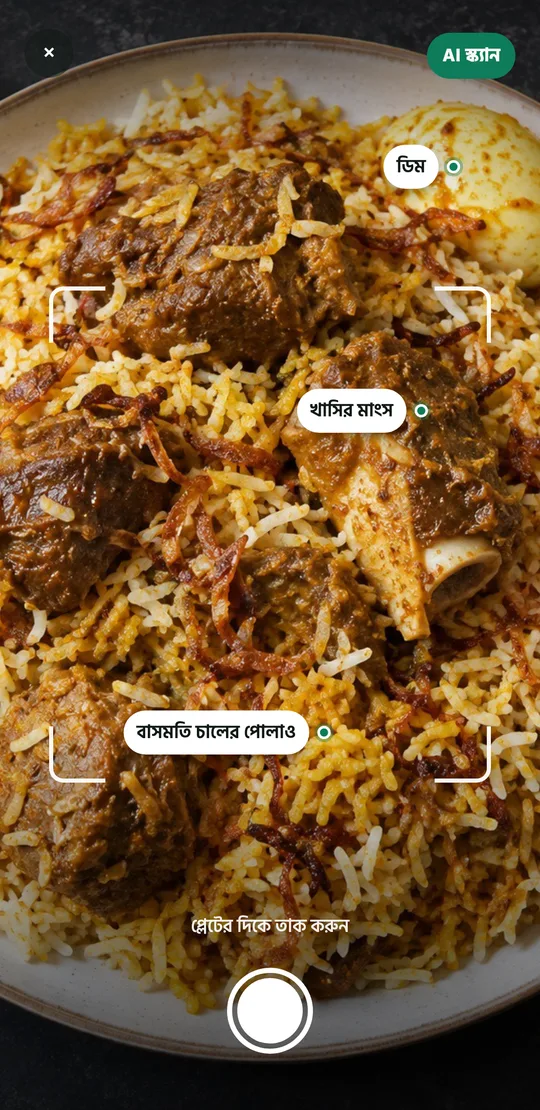
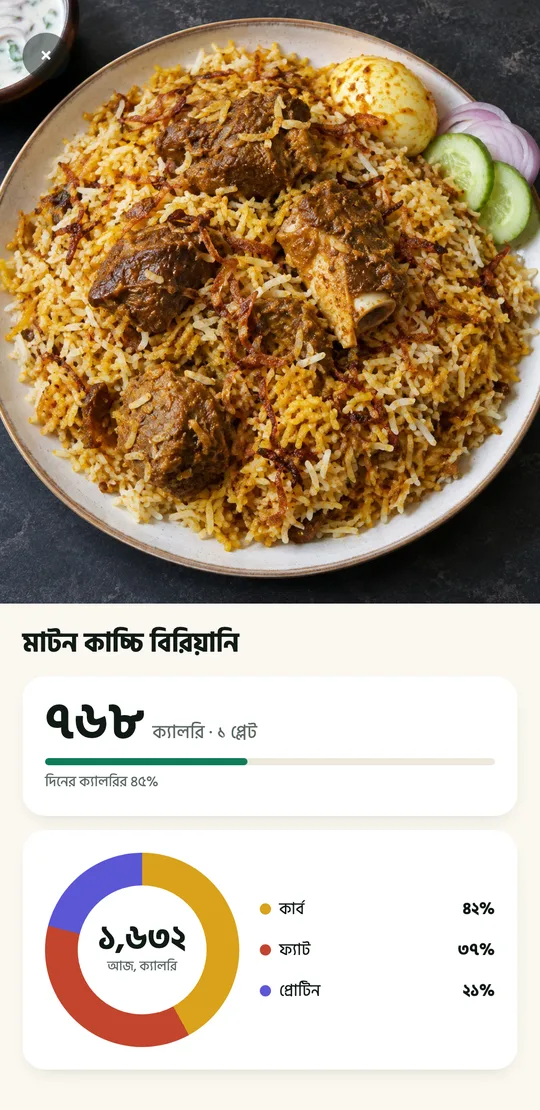
One photo before you eat
No typing, no kitchen scale.
No photo? Just type it.
Already eaten, plate already washed? Write it the way you’d say it, and BiteIt splits it into dishes and counts each one.
Had two plates of rice, a bowl of chicken curry and a bowl of dal for lunch
More than counting calories
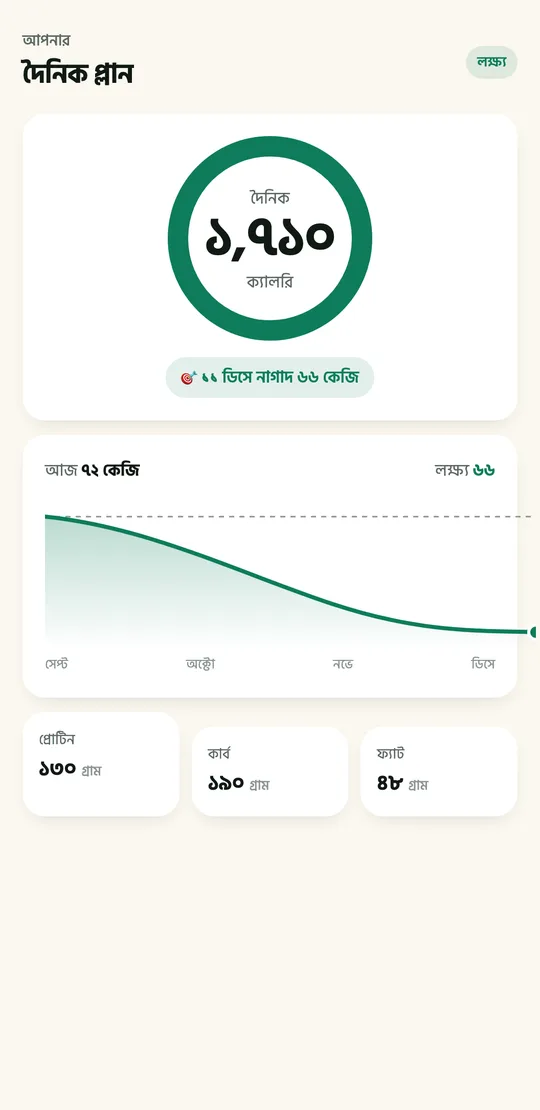
Your own plan
Enter your age, weight and goal and your daily target is set, along with the date you’ll get there.
Weight and progress
Your weight trend, weekly summaries and a nutrition score.
Menu scan
At a restaurant, take a photo of the menu and tap what you ordered.
Barcodes and labels
Scan a packet’s barcode or nutrition label and it’s logged.
Bangla, properly
Menus, food names, even the numerals in Bangla. English if you prefer.
Works offline
Logging, editing and weigh-ins all work offline. Only scanning needs the internet.
Whichever plan you pick, everything’s unlocked



Instant delivery: Premium turns on as soon as your payment arrives, and the sign-in steps come by email.
Your diary stays on your phone
What you eat is your business. So your food diary never comes to us at all.
No copy on a server
Meals, photos and weight live only on your phone. We couldn’t read them if we wanted to.
Photos aren’t kept
A scanned photo is sent only to be read, then thrown away.
No ads
Your data isn’t sold, and nothing tracks what you do in the app.
Common questions
Which foods does it know?
100+ Bangladeshi dishes: rice, dal, fish and meat through to fuchka, haleem and pitha. Packaged food by its barcode or nutrition label.
How accurate is a photo estimate?
It’s an estimate, and it will sometimes be wrong. Portion size is the hardest part, so you can fix it in plates and bowls with one tap. A clear photo from above, in good light, works best.
Does it work without internet?
Logging, editing and weigh-ins all work offline. Only scanning a photo needs a connection.
What happens on a new phone?
Sign in with the same email and your subscription comes back. Your food diary stays on the old phone, though, because it’s never uploaded.
Can I use it in English?
Yes. Settings switches the whole app between Bangla and English at any time.

Eat wisely,
stay well.
 Coming soonApp Store